

TOP
The Designer Calculator

Know your exact flat feein minutes.

For every project. Every single time.

The plug-and-play calculator that takes the guessing out of pricing, so you lock in your number before the proposal ever goes out and present a fee you can stand behind.

Start Your Free 14-Day Trial
14 days free  •  Cancel anytime
Know your numberPrice with confidenceStop underchargingBuilt on your scopeKnow your numberPrice with confidenceStop underchargingBuilt on your scopeKnow your numberPrice with confidenceStop underchargingBuilt on your scopeKnow your numberPrice with confidenceStop underchargingBuilt on your scope
Sound familiar?

Let's talk about the number you've been making up.

You say a number out loud, then spend three days wondering if you undercharged by five grand.

You price a flat fee, the project balloons, and by the end you did thousands of dollars of work for free.

You dread renovations, because a flat fee on unknowns is exactly where you lose your shirt.

You reinvent the whole wheel every time the phone rings, because you never built a system you trust.

You have tried spreadsheets, formulas, and gut feelings. None feel solid.

The talent was never your problem. The math was.

The truth about flat fees

Flat fees do not have to feel terrifying.

Most designers avoid flat fees because they are afraid of getting the number wrong. And honestly, I understand why. You commit to a number before the project has played out. If it is too low, you are the one who pays for it in unpaid time, stress, and scope creep.

So most designers do one of two things. They stay hourly because it feels safer. Or they grab a random square-foot number from Google or a Facebook group and hope it fits.

But every project is different. One job is full service with procurement, custom pieces, and endless revisions. The next is simple. Same square footage, very different fee.

The Designer Calculator accounts for what makes each project unique, so your fee is built on the actual scope of work, not a number from someone else's business.

Flat fees should not be based on fear. They should be based on a proven formula.
Designer at desk pricing a project
Same square footage.
Not the same fee.
Every home is different. Same size does not mean same work, so it should never mean the same fee. Generic pricing cannot see that. Your number should never be a guess.
John McClain
From one designer to another

I built this because
I needed it.

Early in my career I priced projects the way most designers do. I guessed. Sometimes I got close. Sometimes I did not. And when I did not, I felt it in my bank account at the end of a long project.

So I started tracking every task I did on every project, and how long it actually took me. The numbers surprised me. I built a calculator around that data, and my flat fees got accurate, my revenue went up, and my stress around pricing went down.

The result of my trial and error is a calculator you can start using the minute you log in. Any device, fast, easy, and ready when you are.
John McClain
Watch it work

Your number, built in front of you.

Go ahead, tap rooms below to build a project. Watch each room, and your project total, climb in real time.

The Designer Calculator
● Saved
Tap rooms to build your project
Living Room
Primary Suite
Kitchen
Entry / Foyer
Home Office
Powder Room
This is just a sample. The Calculator comes preloaded with 22 room types, and you can add unlimited rooms and spaces of your own.
Living Room tasks
Living Room flat fee
$0
Project total$0
Living Room fee mix
Creative fee0%
Management fee0%
Tax & buffer0%
What it actually does

Everything it calculates for you.

01

Your flat fee, total and by room

Price the whole project or quote a single space without ever starting over.

02

Your project management fee

The work you are almost certainly doing for free right now finally gets its own line.

03

Products, tax, freight and shipping

All the pieces that quietly eat your margin, accounted for instead of eyeballed.

04

A square-foot price for quoting on the fly

Once it is set up, you get a per-square-foot number to quote a project standing in someone's living room, without breaking a sweat.

The scope creep fix

The project cannot balloon if every task is already on the page.

Scope creep happens when work sneaks in that your fee never accounted for. This flips it. Because you document every task in the scope before you ever quote, there are no surprise hours and no free work hiding at the end.

You priced the real project, not a guess, so your number holds from hello to final install. Inside the course I walk you through the exact scope of work sheet I use, so nothing slips through.

Simple by design

How it works.

No. 01

Add your rooms

Start a project and drop in every room. Pick the tasks that apply and enter your quantities.

No. 02

Get your number

Your rate and your real task times calculate an accurate flat fee as you go. No spreadsheets, no guessing.

No. 03

Win the project

Export a clean, branded proposal and walk in knowing your fee was built for that exact project.

Why designers switch

Not another calculator.
A proven method.

01

Built on your real hours

Generic calculators guess at how long things take. This one runs on your own tasks and the hours they actually take you, so your number reflects how you really work.

02

A number you can defend

When you present your fee you are not saying this is just what I charge. You are saying this was built for your project and your scope. That is a conversation clients trust.

03

Confidence before you send

You build your proposal on a number that traces back to the actual scope. So when you hit send, you know it is right instead of hoping it is.

The difference

Two ways to price your next project.

The old way

Guessing a number and hoping it is enough
Pricing off random square-foot figures
Undercharging and finding out too late
Rebuilding your math for every new project
Fees you cannot explain or defend
Money left on the table, every time

With the Designer Calculator

A number built from your actual scope
Pricing based on your real task times
Confidence your fee is right before you send
Your task library, ready for every project
Fees you can present and defend
The full value of your work, captured
Everything included

What you get with your calculator.

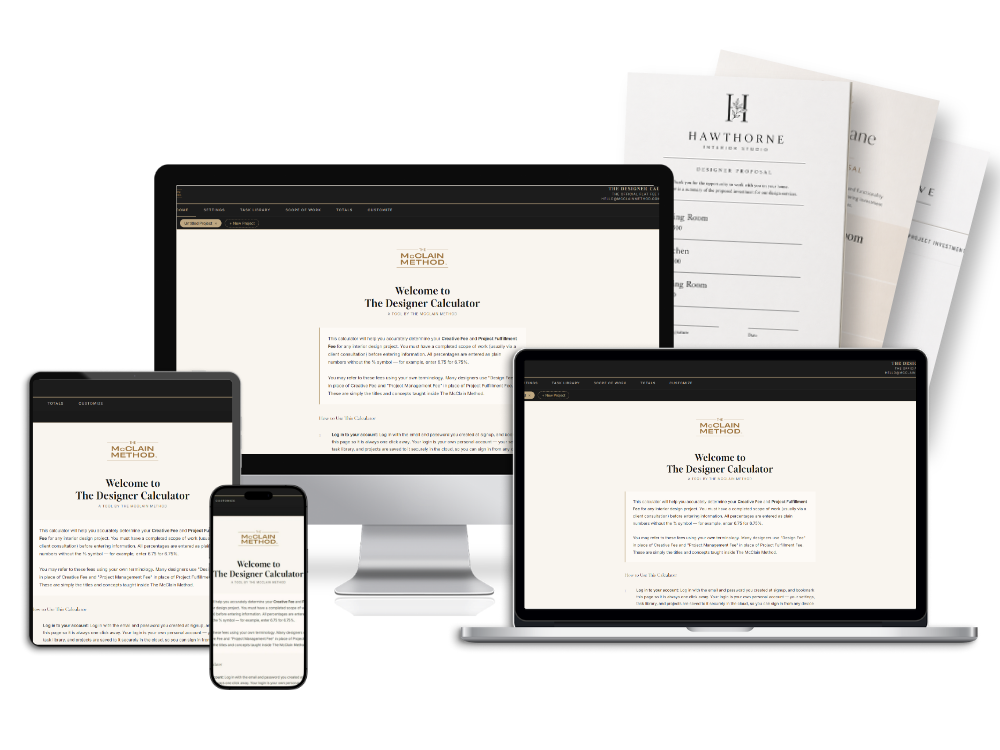
The Designer Calculator on laptop, phone, and printed proposals

Your Personal Task Library

Build a library of every task you do and how long it truly takes you. Your time, your tasks.

Room-by-Room Scope Builder

Add rooms, pick tasks, enter quantities. The fee calculates itself as you go.

Accurate Flat Fee, Every Time

Your rate plus your real task times plus your fulfillment fee. No guessing.

Project Management Buffer

Add a buffer for the unexpected and adjust it by complexity. Your call.

Multi-Project Management

Run many clients at once. Color coded tabs keep every project separate.

Auto-Save to the Cloud

Your work saves on its own and follows you to any device.

Professional PDF Export

Export a clean, branded PDF with your firm name and logo, plus a signature line for client approval.

Team Seats Available

Add teammates so everyone shares the same task library and projects.

What designers are saying

Real designers. Real results.

★★★★★
Just had my first full-service design scope presentation and they accepted the fee. I am gagging over the success of this calculator.
LP
Lauren P.
★★★★★
You are a lifesaver. I was seriously considering leaving this profession. This has renewed my love and passion for our industry again.
MT
Megan T.
★★★★★
John's calculator completely changed the game for me when it came to billing. I do hybrid, flat for design and hourly for project management.
BR
Bianca R.
★★★★★
I scored my biggest job ever just by using this calculator. Thank you.
AD
Ashley D.
★★★★★
This completely revolutionized my business. Within a month, my firm priced and won our biggest client ever.
DR
Danielle R.
★★★★★
Just had my first full-service design scope presentation and they accepted the fee. I am gagging over the success of this calculator.
LP
Lauren P.
★★★★★
You are a lifesaver. I was seriously considering leaving this profession. This has renewed my love and passion for our industry again.
MT
Megan T.
★★★★★
John's calculator completely changed the game for me when it came to billing. I do hybrid, flat for design and hourly for project management.
BR
Bianca R.
★★★★★
I scored my biggest job ever just by using this calculator. Thank you.
AD
Ashley D.
★★★★★
This completely revolutionized my business. Within a month, my firm priced and won our biggest client ever.
DR
Danielle R.
The money math
$10,000 to $50,000

That is the range some designers realized they had not been accounting for. Your numbers will be your own. The lesson is the same, small pricing gaps add up fast.

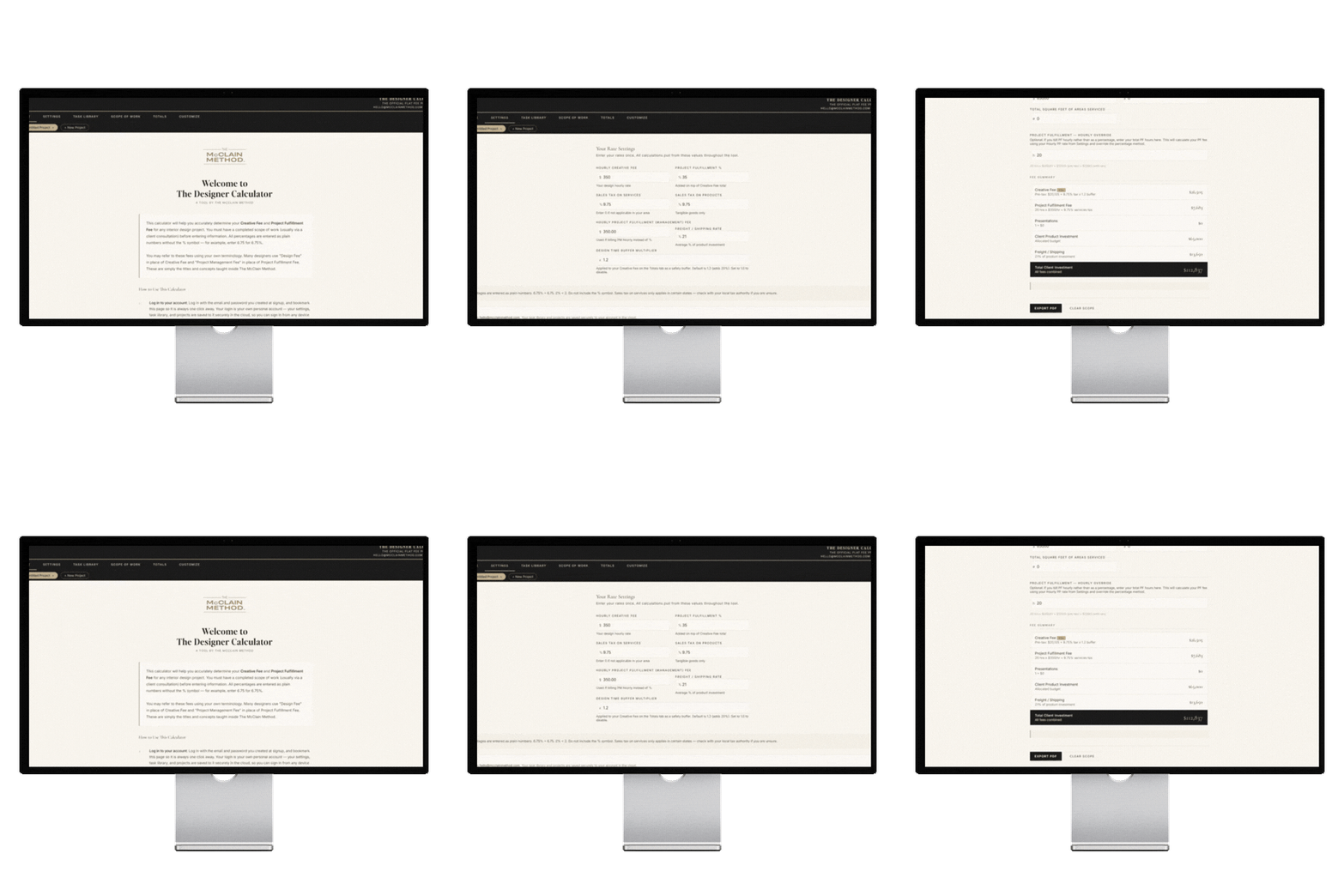
The Designer Calculator screens
Is this you?

This is for you if...

You are moving toward flat fees and want a clearer way to price.
You already use flat fees but still wonder if you are charging enough.
You are tired of pricing off random square-foot numbers.
You want to stop guessing on every proposal.
You want your team to build pricing the same way you do.
You suspect you are leaving money on the table.
Simple pricing

One tool. One price. Unlimited projects.

$497 / year
14-day free trial
  • Full calculator access
  • Personal task library
  • Unlimited projects
  • Cloud storage across devices
  • PDF export with your branding
  • Every future update, included
Additional team seats: $97 per seat per year
Start Your Free 14-Day Trial
Try it free for 14 days. Price one real project. If it does not change what you charge, cancel and pay nothing.
Questions

Let's clear a few things up.

Is this just another spreadsheet? +

No. It is a cloud tool with your own login, your own task library, and your projects saved securely. It works on any device and your data is always there.

Can it price renovations or new construction? +

Yes. You can calculate anything. Some rooms, tasks, and numbers come pre-loaded to get you moving fast, but every one of them is fully customizable. Add your own rooms and tasks, change what is already there, and the calculator handles renovations, new builds, or any project you take on. It is completely yours.

What if I charge hourly, not flat fee? +

The calculator is built for flat fee pricing. If you are moving toward flat fees or already there, this is for you. Many designers use it hybrid, flat for design and hourly for project management.

How is this different from a generic calculator? +

Every other calculator uses generic time estimates that have nothing to do with your workflow. This one is built around your tasks and your time. You tell it how long things take you, it does the math.

What happens after the 14-day trial? +

Your card is charged $497 at the end of the trial and your subscription renews annually. Cancel anytime before day 15 and you pay nothing.

Can my team use it? +

Yes. Add seats at $97 per year each. All seats on your account share the same task library and project data.

You are ready for this

Stop leaving money
on the table.

Every project you price without this is a guess. And every underpriced project costs you real money you worked hard to earn.

Your number is in here. Go find it.
Start Your Free 14-Day Trial
14 days free  •  No charge until day 15  •  Cancel anytime
© JOHN MCCLAIN, THE MCCLAIN METHOD 2026. ALL RIGHTS RESERVED.